InferScale Labs
INFERSCALE VOICE

Good conversations.
Great next steps.

Give every caller a clear way forward. Build AI voice agents that answer questions, capture the details, and connect conversations to the work that comes next.

Explore all voice features →
Your workflow. Your knowledge. A voice that fits your business.
InferScale Voice / Conversation studio
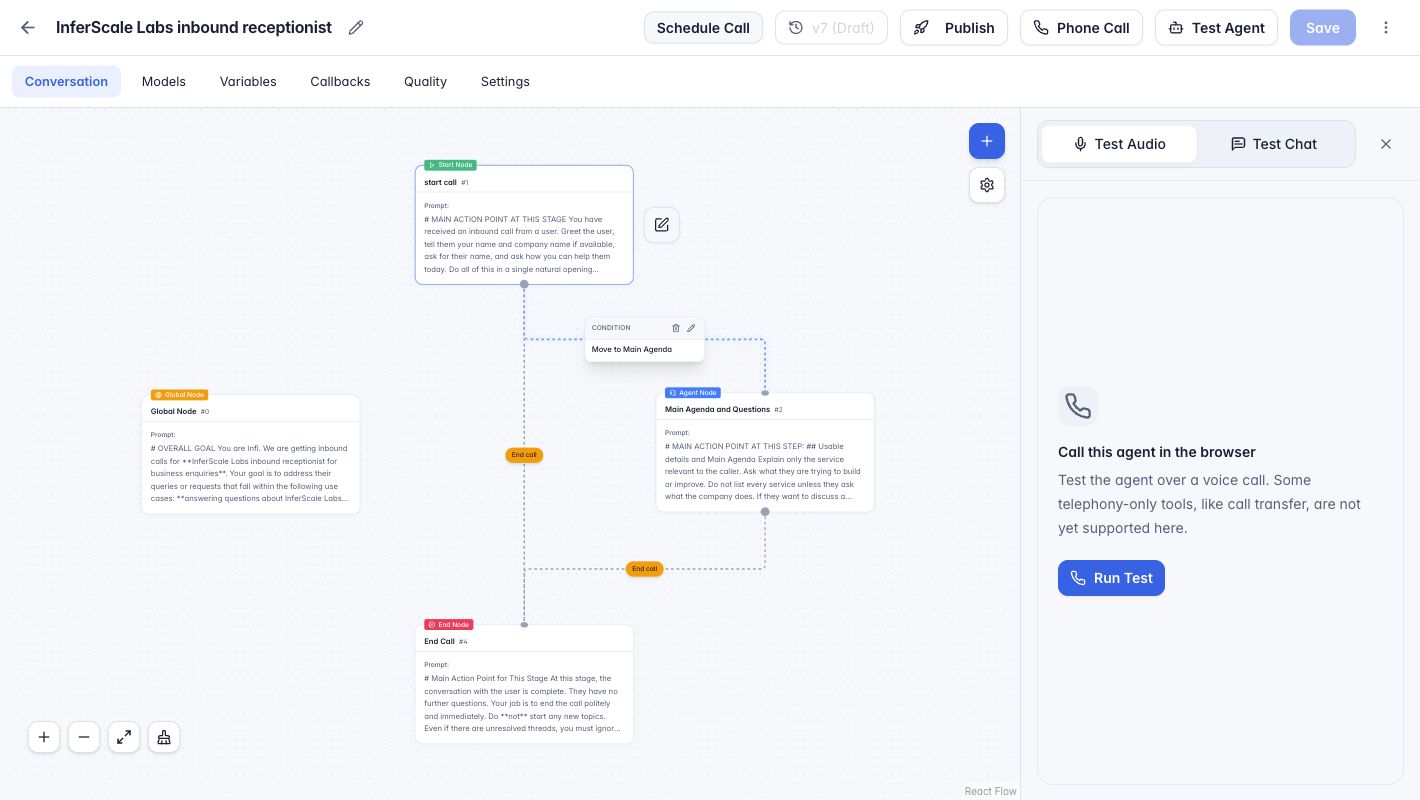
InferScale Voice visual editor showing connected start, agent, global, and end nodes alongside the browser audio tester
Design the conversation. Test it in the same workspace.Take a closer look ↓
FROM HELLO TO HANDLED

A helpful voice.
A connected workflow.

Your callers need answers. Your team needs context. Bring both together with conversation flows built around your business, clear handoff rules, and integrations scoped to the outcome you need.

Experience InferScale Voice

Talk to our AI receptionist

Ask about InferScale Labs or describe a business call you would like to automate. This is a live AI demonstration, not a human support line.

The demo widget loads on this page, but microphone access is requested only when you start a call. Your voice and conversation may be processed by our voice and AI providers. Please don’t share passwords, payment details, or sensitive customer information.

Book a discovery call →
Live voice demo
Ready when you are
Start the demo below to talk to our AI receptionist.
Preparing your demo…

Try asking about InferScale Labs or a voice use case for your business.

A LOOK INSIDE INFERSCALE VOICE

From first draft to first hello.

One workspace to shape your agents, connect your setup, and try the conversation before a caller does.

01 / ORGANISE

Your voice operation,
in one place.

Move between your agents, model configuration, and phone connections from a shared workspace. Keep the building blocks of your voice experience close at hand.

  • Agent and workflow management
  • Models, voices, and telephony setup
  • Access to run history and reports
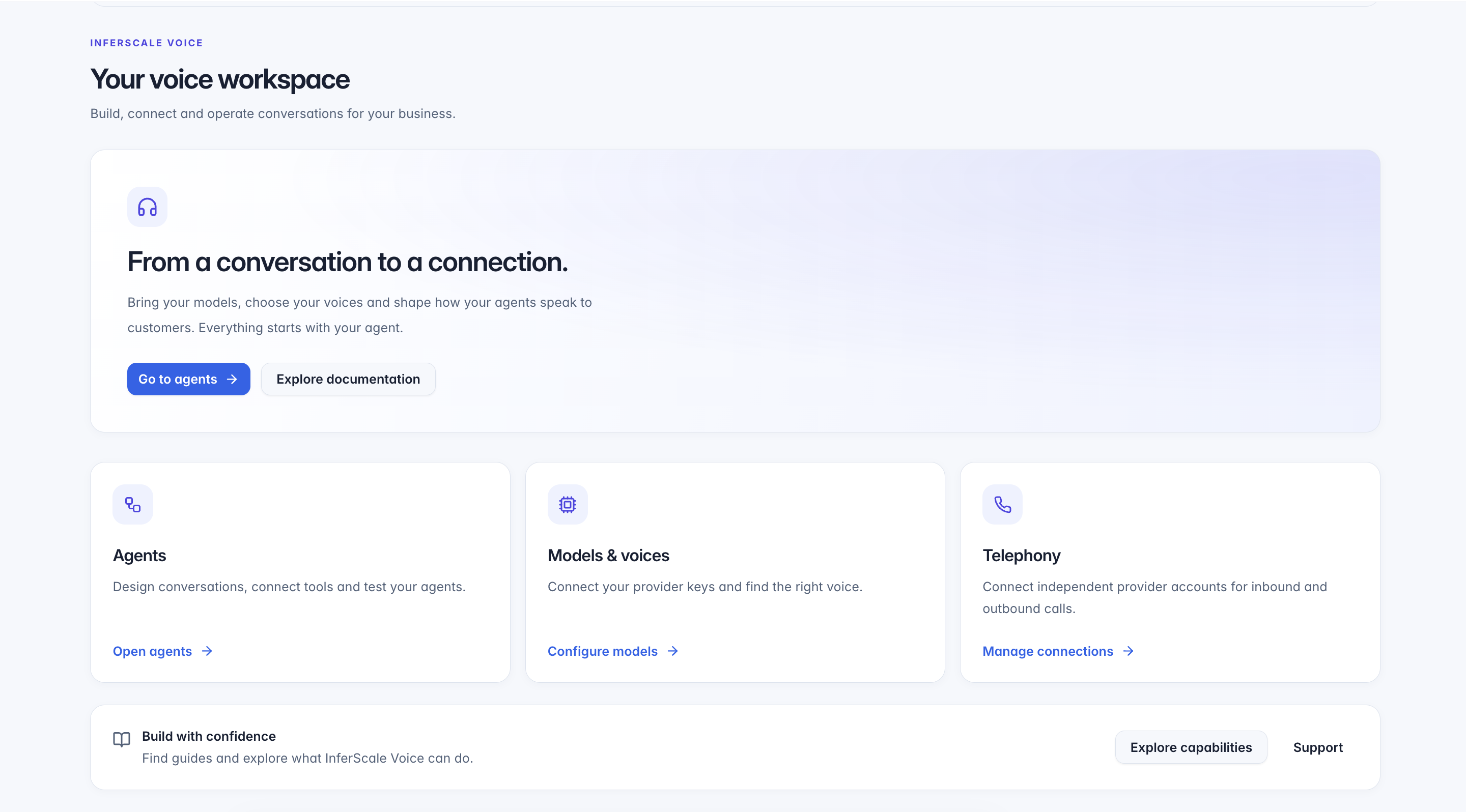
Workspace overview
InferScale Voice workspace with agent management, model and voice configuration, and telephony connection cards
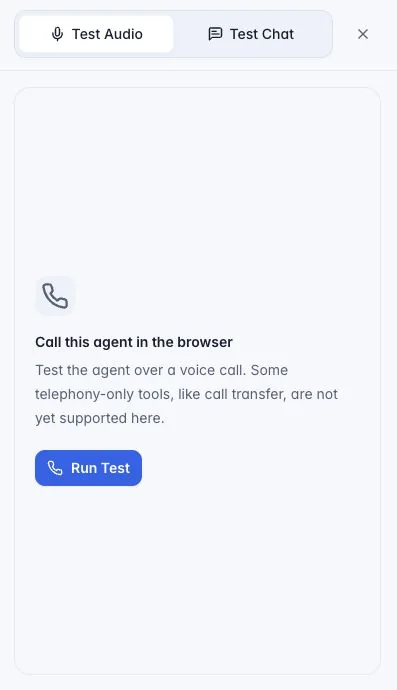
Browser test panel with Test Audio and Test Chat tabs and a Run Test button
Browser testing panel
02 / DESIGN & TEST

See the path.
Hear the experience.

Connect conversation nodes on a visual canvas, then use the built-in audio or chat tester to explore how your agent responds.

GreetingUnderstand & helpWrap up

Work through your opening, questions, and end-of-call paths before configuring a phone rollout. Browser tests do not support every telephony-only tool.

Try the voice demo ↗
THE DETAILS MAKE THE DIFFERENCE

Shape how your agent sounds.
Decide where it goes next.

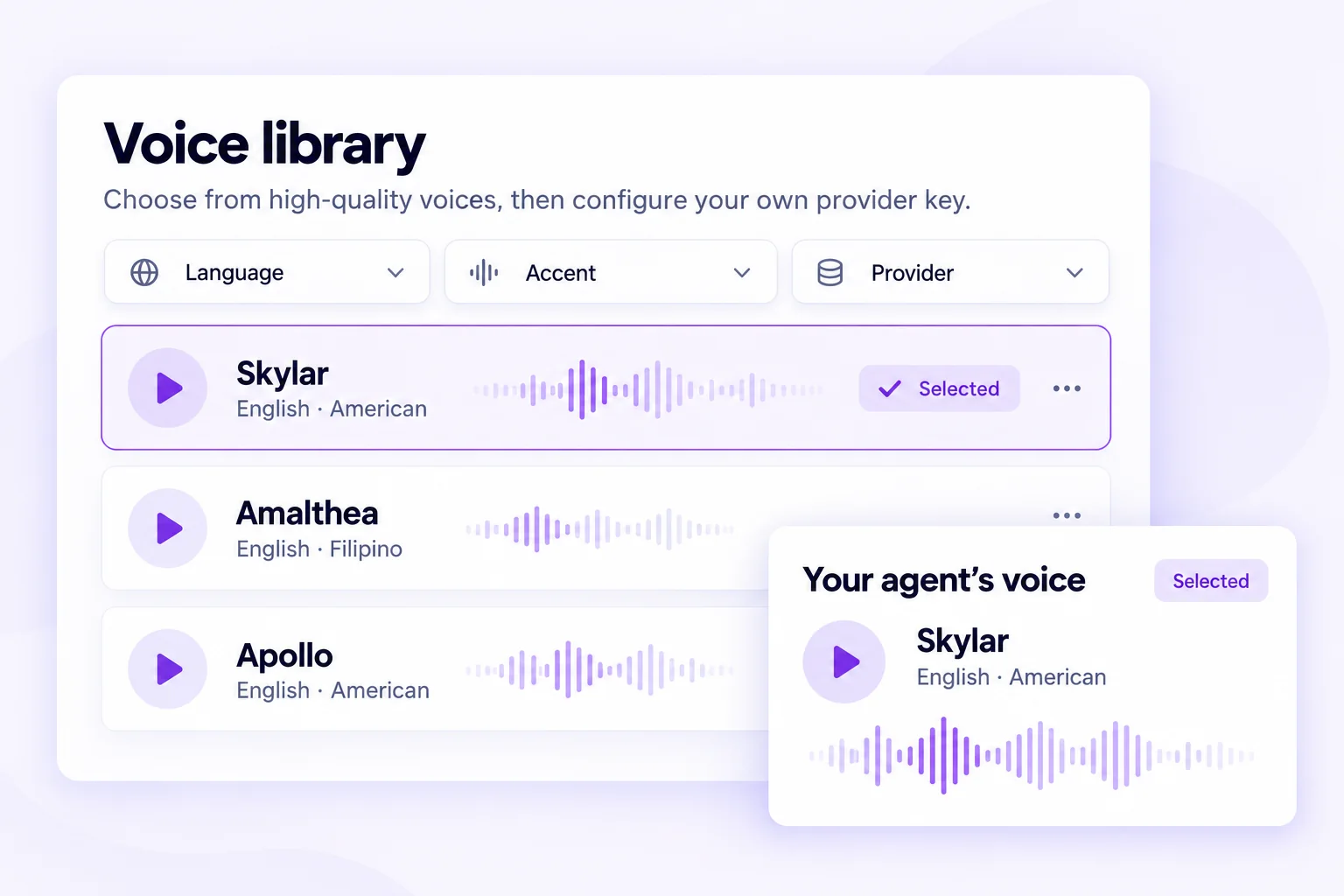
Voice library mockup with language, accent, and provider filters, voice waveforms, and a selected voice
FIND YOUR VOICE

A voice that fits the conversation.

Explore voices by provider, language, accent, and gender. Connect your provider key to configure the voice you choose.

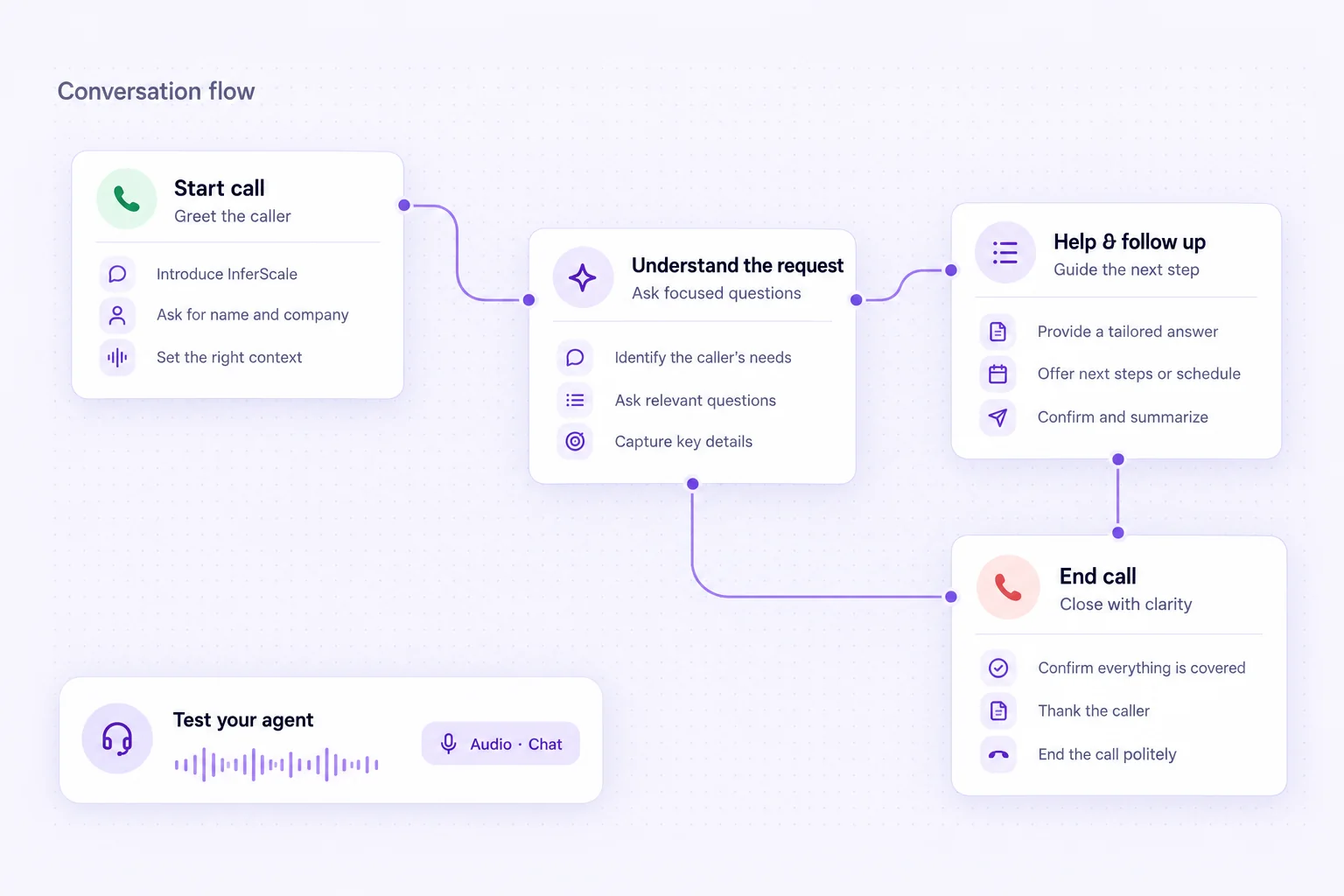
Conversation flow mockup connecting a greeting, request handling, follow-up, and end-call steps
GIVE EVERY TURN A DIRECTION

Clear paths. Thoughtful endings.

Shape the opening, connect the working steps, and define when a conversation should continue or come to a close.

CAMPAIGNS & OUTBOUND CALLS

Take the next conversation
to your customers.

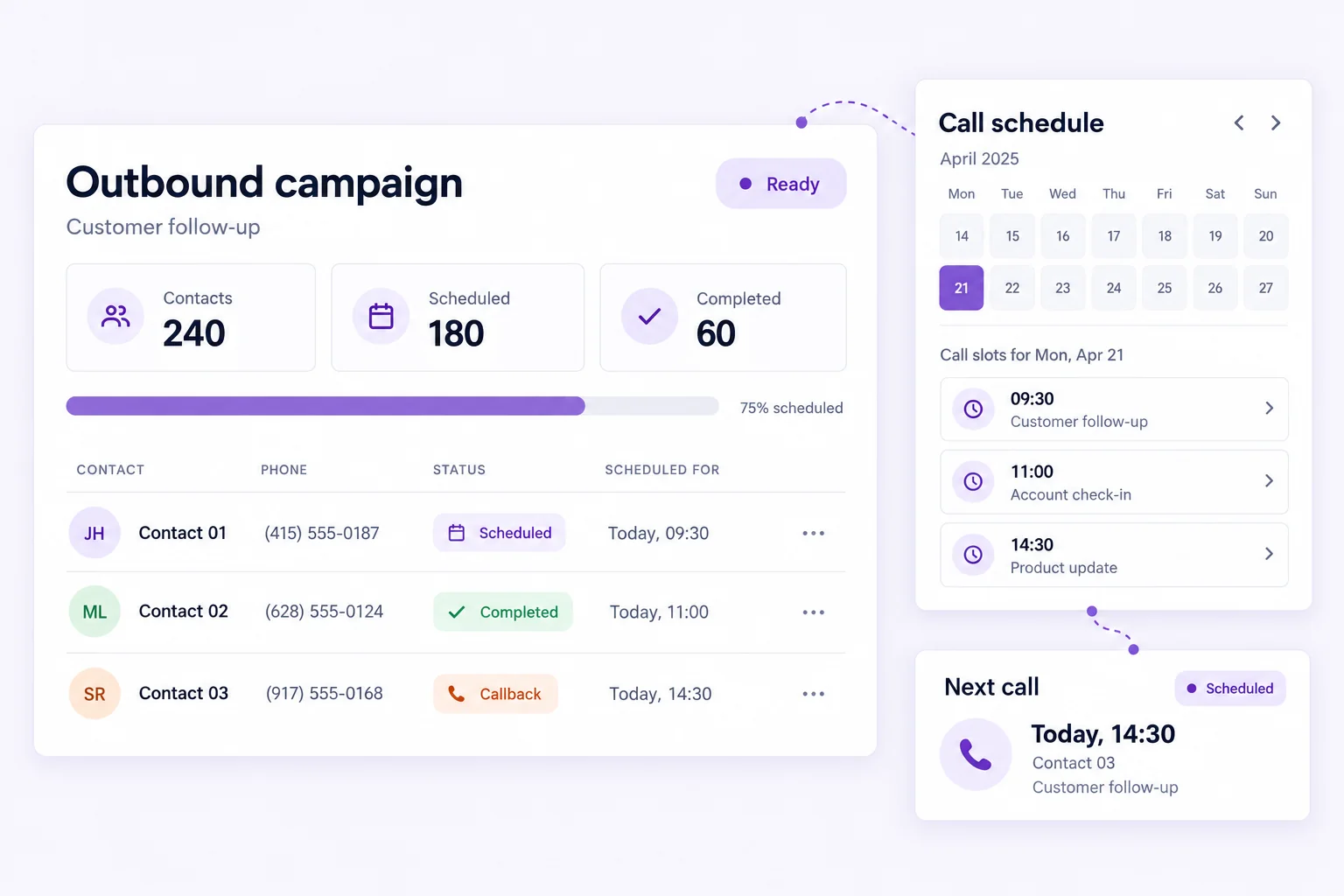
Bring a contact list, choose an agent, and plan the next conversation. Connect campaign execution with scheduled calls and a clear path for follow-up.

  • Import contact data from a CSV file
  • Select agent versions and split traffic
  • Configure caller IDs and schedule calls

Outbound campaigns require a configured telephony connection and a separate rollout. They are not enabled in the public browser demo.

Conceptual outbound campaign mockup with sample contact progress, scheduled call slots, and a next-call reminder
Listen → understand → act

Make every conversation count

The goal is not simply to make a voice sound human. It is to help a caller reach the right outcome and give your team clean, useful information after the call.

01

Visual workflows

Design conversation steps, questions, conditions, and end-of-call paths in a visual editor.

Platform capability

02

Browser voice and chat testing

Test an agent in the browser before connecting a phone number. The public demo is a browser voice call.

Platform capability

03

Bring your own models

Choose supported speech-to-text, language-model, and text-to-speech providers using your own API keys.

Requires configuration

04

Website embeds

Place a voice or chat entry point on a website; our live browser demo uses an embed.

Platform capability

05

Phone-number configuration

Connect a supported telephony provider and route numbers to workflows after call-path testing.

Requires configuration

06

Run history and recordings

Review call runs and available artifacts; recording availability depends on storage and consent configuration.

Platform capability

Solutions by use case

Designed around the calls your business already handles

We start with one valuable, repeatable call flow and connect it to the people and systems that complete the job.

Book a discovery call →
01
Real estate

Capture property enquiries

Ask about area, budget, and timing, then route a useful summary to the right agent. Viewing bookings can be added with a calendar connection.

Buyer intakePreference captureAgent follow-up
02
Events

Handle RSVP conversations

Answer event logistics questions, record attendance intent, and flag special requests for an organiser.

RSVP intakeEvent FAQsOrganiser updates
03
Legal practices

Organise first-contact intake

Collect contact details and a high-level matter description, then route the enquiry for human review. The agent does not give legal advice.

Initial intakeCallback requestsHuman review
04
Healthcare administration

Ease front-desk demand

Handle administrative questions and appointment requests, with clinical questions sent to qualified staff. No diagnosis or treatment advice.

Administrative FAQsAppointment requestsStaff escalation
05
Sales teams

Follow up with context

Work through permitted follow-up calls, record interest, and prepare next steps for a sales representative after an approved rollout.

Lead follow-upQualificationRep handoff
06
Service businesses

Turn enquiries into scheduled work

Capture the requested service, location, and preferred time, then connect scheduling and dispatch systems as part of a tailored implementation.

Service intakeScheduling requestsTeam summaries
From idea to pilot

A practical path to your first working voice agent

Every rollout begins with a bounded workflow, clear escalation rules, and measurable business outcomes.

  1. STEP 01

    Map the call

    We identify the callers, questions, business rules, handoff points, and the outcome that makes the conversation valuable.

  2. STEP 02

    Connect the workflow

    We configure the voice agent, knowledge, phone path, calendar, alerts, and destination for structured call data.

  3. STEP 03

    Test real scenarios

    We exercise normal calls, interruptions, unavailable slots, tool failures, and escalation paths before a controlled pilot.

  4. STEP 04

    Pilot and improve

    We review outcomes and failure patterns, tune the experience, and expand only after the workflow proves useful.

A FEW THINGS YOU MIGHT BE WONDERING

Your questions,
answered.

From your first browser conversation to a connected voice workflow.

Book a discovery call →
Which languages can my agent speak?

Language and accent support depend on the speech and language providers you configure. The voice library lets you explore available voices by language, accent, and provider. We confirm the combination you need and test it with representative calls before rollout.

Can I connect a phone number?

Yes. A supported telephony provider can connect phone numbers to your agent for inbound or outbound calls. Using an existing number depends on the provider and routing setup. We scope and test the call path for your deployment; the public demo runs in your browser.

Can it connect to my calendar, CRM, or other tools?

Tools, webhooks, APIs, and compatible MCP connections can connect your agent to business systems. Calendar booking, CRM updates, and team notifications are configured for your workflow, including credentials, permissions, and failure handling. These actions are not automatically included in the public demo.

What deployment options are available?

InferScale Voice supports self-hosted deployment, and our public demo runs on managed infrastructure. We can discuss a dedicated environment and the operating responsibilities, provider connections, and storage configuration your business needs.

How is pricing determined?

Book a discovery call for a quote based on your call workflow, expected usage, integrations, and deployment needs. Speech, language-model, and telephony services may have separate provider charges. We clarify the setup scope and ongoing costs before a rollout.

HAVE A CALL FLOW IN MIND?

Let’s see if voice automation fits your business.

Bring one call you want to answer, qualify, schedule, or follow up. We’ll map the workflow, integrations, risks, and a sensible pilot path.

No generic demo. We’ll discuss your actual use case.