InferScale Labs
InferScale Voice capabilities

A voice workflow you can shape around your business.

Design the conversation, connect the right tools, and learn from every test. Explore the platform visually, then see where a tailored implementation could take your team.

Live browser voice demo · Other capabilities may need configuration

Conversation flow mockup with connected greeting, questions, follow-up, and end-call nodes

Inside the platform

From first hello to a useful next step.

Explore conversation design, tool connections, and testing before mapping your own workflow.

01 / Design

Shape the call before it happens.

Build a visual path for the greeting, questions, and exit. The demo receptionist uses a simple Start Call → main agenda → End Call flow; more complex workflows can add branches after testing.

  • Set the purpose and tone of each step
  • Choose what to ask and when to move on
  • Keep escalation and exit paths explicit

Platform capability · Visual workflow builder

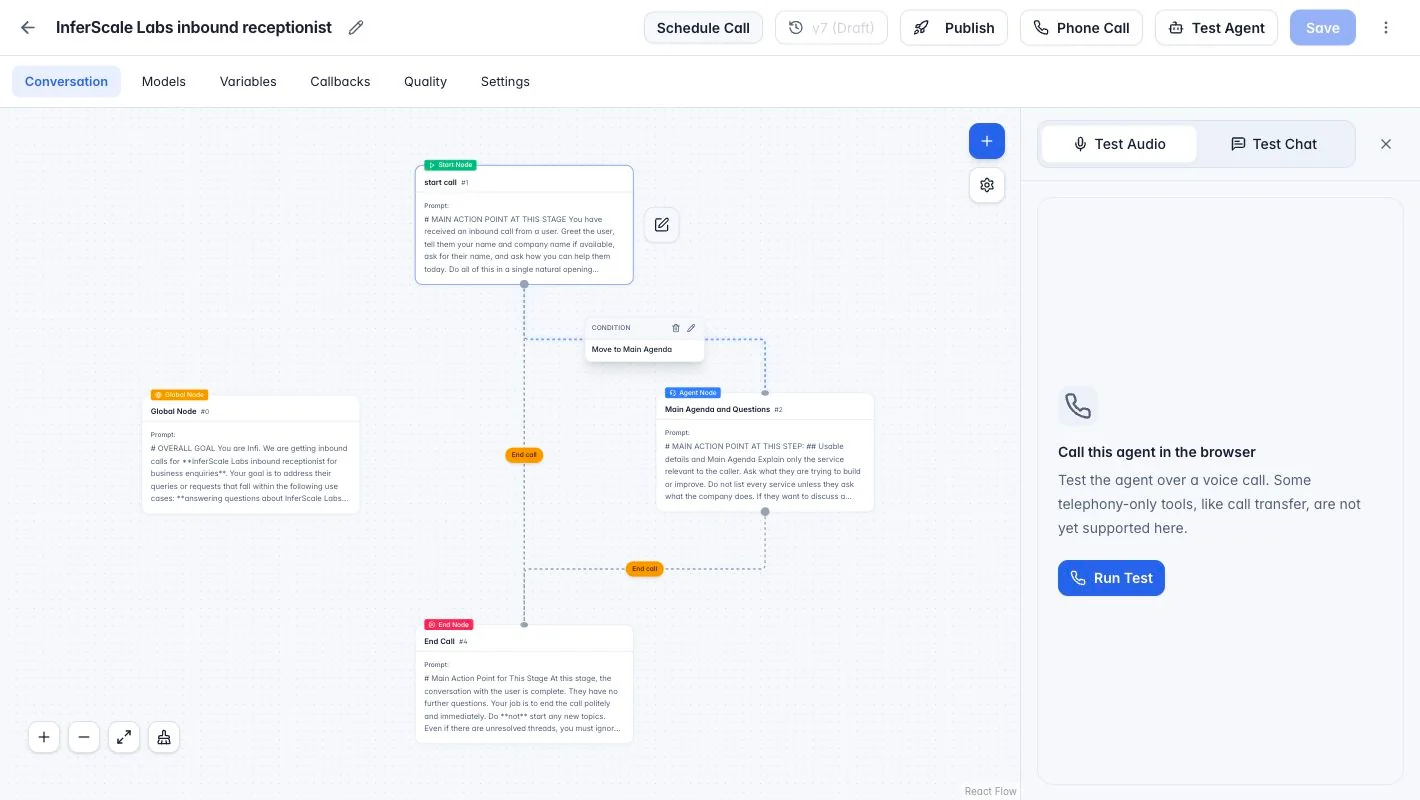
InferScale Voice flow editor showing connected conversation nodes and browser testing

02 / Connect

Let the agent do more than talk.

The platform supports tools such as External HTTP API and MCP Server. We scope each connection around a real business action—like checking availability or updating a CRM—then configure credentials and failure handling.

  • Create a tool in the dashboard
  • Configure its endpoint and authentication
  • Attach it to the right agent workflow and test it

Requires configuration · Example connection is not live

InferScale Voice / ToolsExample
ToolsExternal HTTP APIMCP ServerTransfer Call
CREATE TOOLCheck availabilityCreate Tool
Tool categoryExternal HTTP API ⌄Method and endpointGET https://example.com/availabilityCredentialSelect a configured credential
Agent workflowAvailability tool
Illustrative interface · sample endpoint only; no calendar or CRM is connected in the demo

03 / Improve

Test the conversation. Learn from the run.

Try a browser voice call before connecting a phone number. Review test runs and available artifacts to find unclear prompts, missed questions, and handoff points worth improving.

  • Test voice or chat in the browser
  • Inspect synthetic run history and transcript
  • Tune the flow before a controlled rollout

Platform capability · Browser voice demo available

InferScale Voice / Test runSample
Browser voice test 00:42
End test
RUN HISTORY · SAMPLE DATA
Agent

How can I help with your enquiry today?

Visitor

I’d like to understand a voice agent for our team.

Illustrative interface · synthetic conversation; recordings depend on configuration and consent

How to read this page

Platform capability Available in the pinned platform; may still need content or operational setup.

Requires configuration Needs credentials, provider support, routing, or validation before use.

Custom implementation Scoped and built for your systems; not pre-connected in the live demo.

The complete feature list

Every capability, in view.

Scroll down to explore all 14 capabilities, one full-screen scene at a time. Labels distinguish what is built in from what needs setup or a tailored implementation.

INFERSCALE VOICE · CAPABILITIES

Design and test

Platform capability

Visual workflows

Design conversation steps, questions, conditions, and end-of-call paths in a visual editor.

A clear path from greeting to outcome
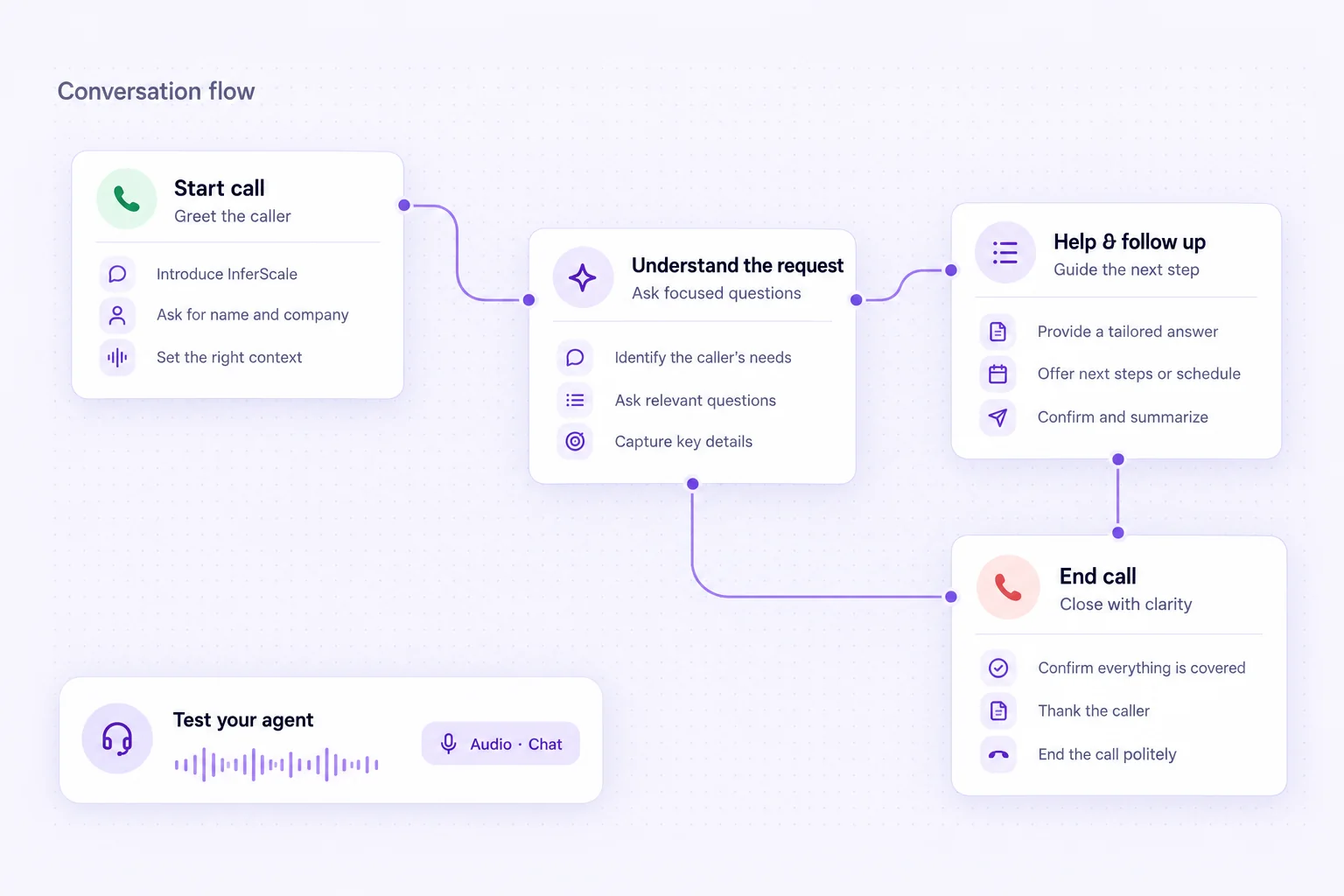
Conversation flow with connected greeting, questions, follow-up, and end-call steps
Platform capability

Browser voice and chat testing

Test an agent in the browser before connecting a phone number. The public demo is a browser voice call.

Test voice and chat before phone routing

InferScale Voice flow editor with the browser audio testing panel open
Requires configuration

Bring your own models

Choose supported speech-to-text, language-model, and text-to-speech providers using your own API keys.

Provider keys are configured per deployment
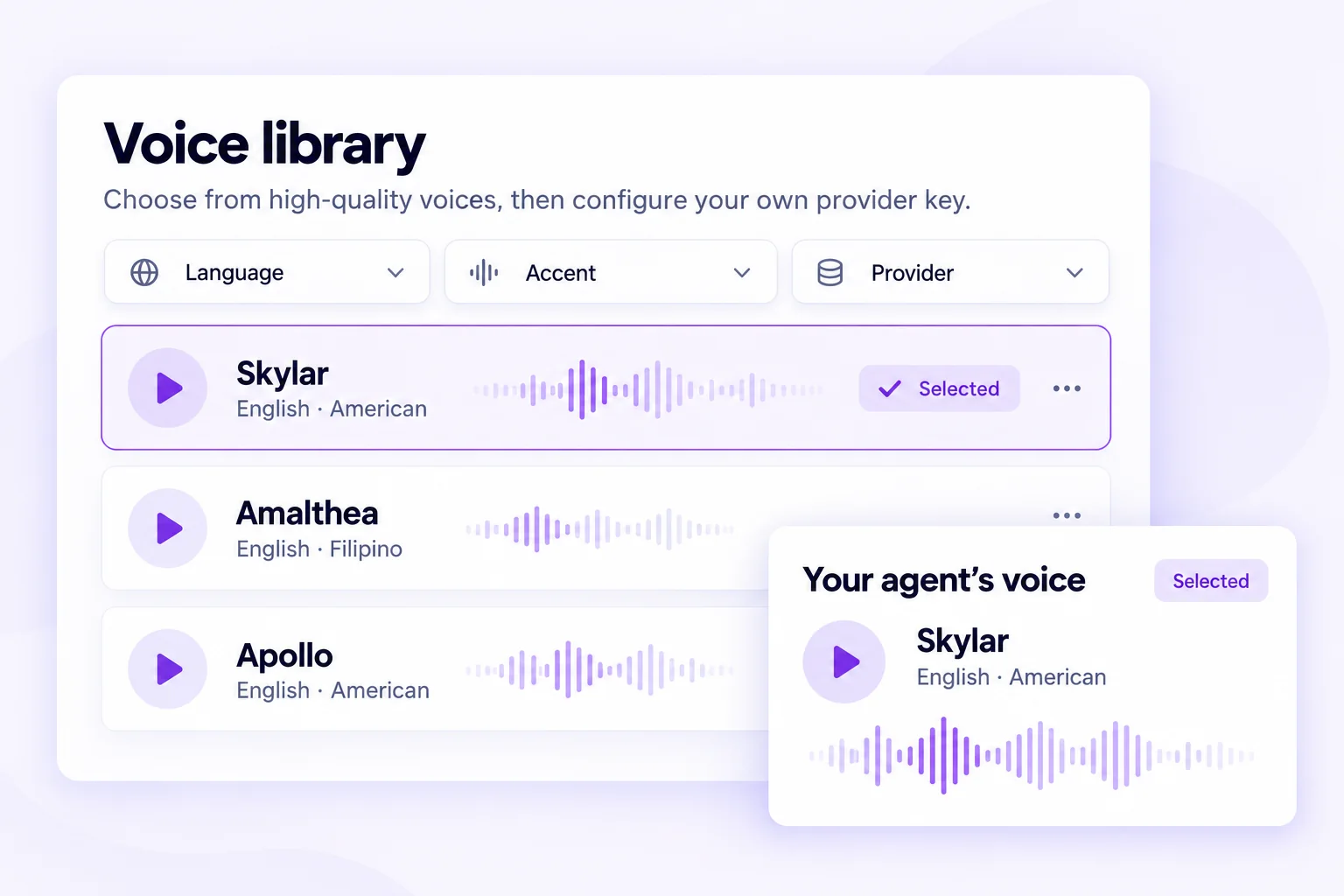
Voice library mockup with language, accent, and provider filters
Requires configuration

Files and knowledge

Add approved reference material for an agent to use when answering business questions.

Ground answers in material you select

InferScale Voice / Knowledge workspace
Knowledge workspaceSet up
01Approved filesSETUP
02Business FAQsSETUP
03Agent contextSETUP

Connect and automate

Requires configuration

Tools and webhooks

Call external services and send workflow events once endpoints, authentication, and failure paths are configured.

Example connection · requires setup

InferScale Voice / Tool setup
External HTTP APIWebhook event
01configure tool
02endpoint: example.com
03auth: configured credential
Test response
Platform capability

Website embeds

Place a voice or chat entry point on a website; our live browser demo uses an embed.

The live browser demo uses an embed

InferScale Voice / Website experience
↗Your website
✦Voice or chat embed
✓Visitor conversation
Requires configuration

Phone-number configuration

Connect a supported telephony provider and route numbers to workflows after call-path testing.

Carrier setup and call-path tests required

InferScale Voice / Phone routing
↗Phone number
✦Provider route
✓Agent workflow
Requires configuration

Outbound campaigns

The platform includes campaign controls, but campaigns are disabled in this public demo and require a separate rollout.

Disabled in the public demo
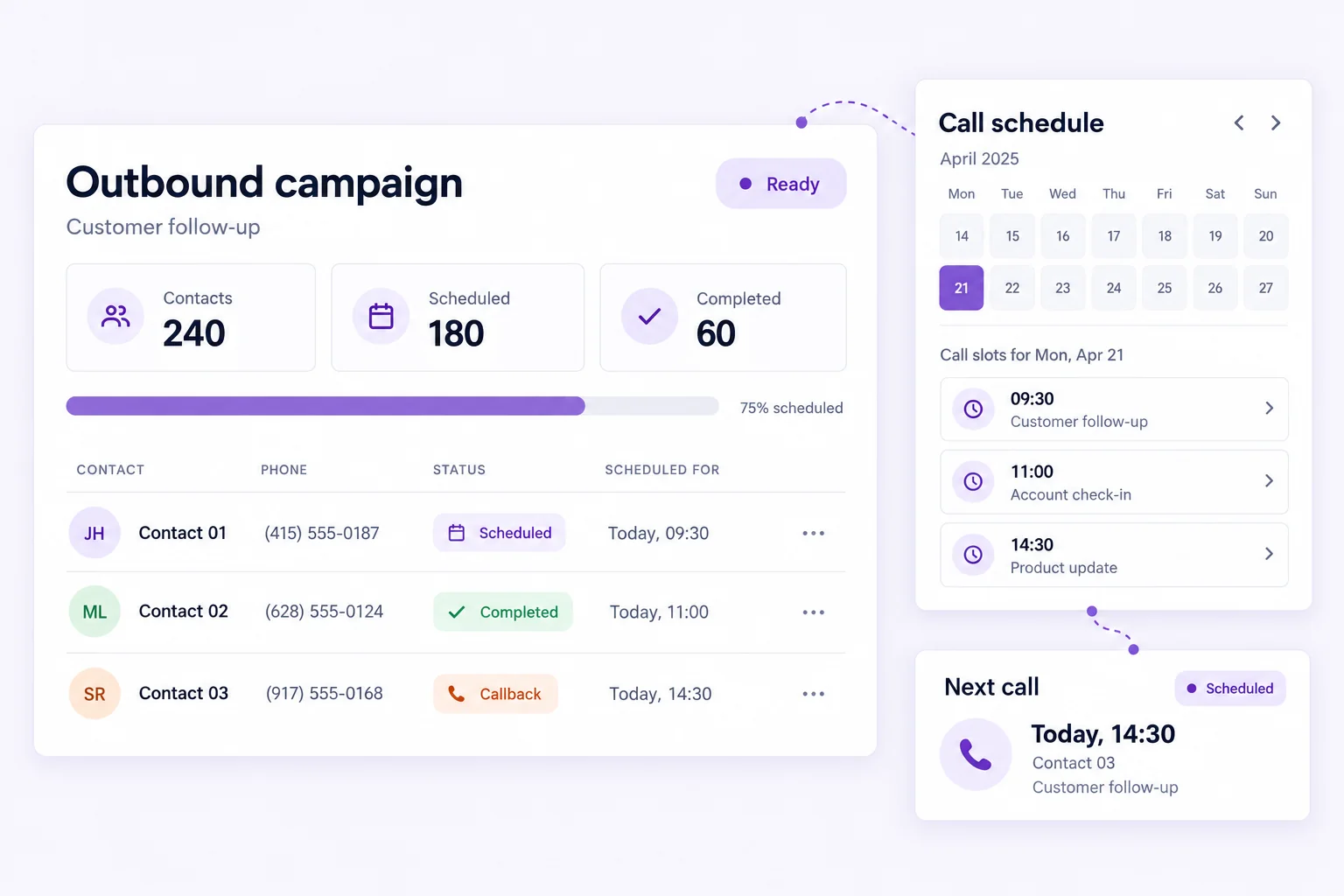
Outbound campaign mockup with sample contact progress and scheduled call slots
Requires configuration

Supported human handoffs

Escalate to a person where the selected telephony provider and call flow support transfer.

Depends on provider transfer support

InferScale Voice / Handoff path
↗AI conversation
✦Transfer rule
✓Your team

Operate and improve

Platform capability

Run history and recordings

Review call runs and available artifacts; recording availability depends on storage and consent configuration.

Recording depends on consent and storage

InferScale Voice / Run history
Run historyView
01Test runBUILT-IN
02TranscriptBUILT-IN
03Recording artifactBUILT-IN
Platform capability

Reports

Inspect conversation and usage reports to identify what to tune next.

Review patterns and tune the flow

InferScale Voice / Reporting view
RunsLast 7 days
OutcomesTrends
Requires configuration

MCP connections

Connect compatible MCP tools with credentials and permissions matched to the workflow.

Permissioned connection required

InferScale Voice / MCP connection
MCP serverCredentials
01connect server
02endpoint: example.com
03auth: configured credential
Available tools
Requires configuration

APIs and SDKs

Use developer interfaces for supported programmatic operations after integration setup.

Build programmatic operations after setup

InferScale Voice / Developer interface
API requestSDK integration
01invoke workflow
02endpoint: example.com
03auth: configured credential
Workflow result
Platform capability

Self-hosted deployment

Run the platform in a dedicated environment; this demo runs on our managed infrastructure.

This demo runs on managed infrastructure
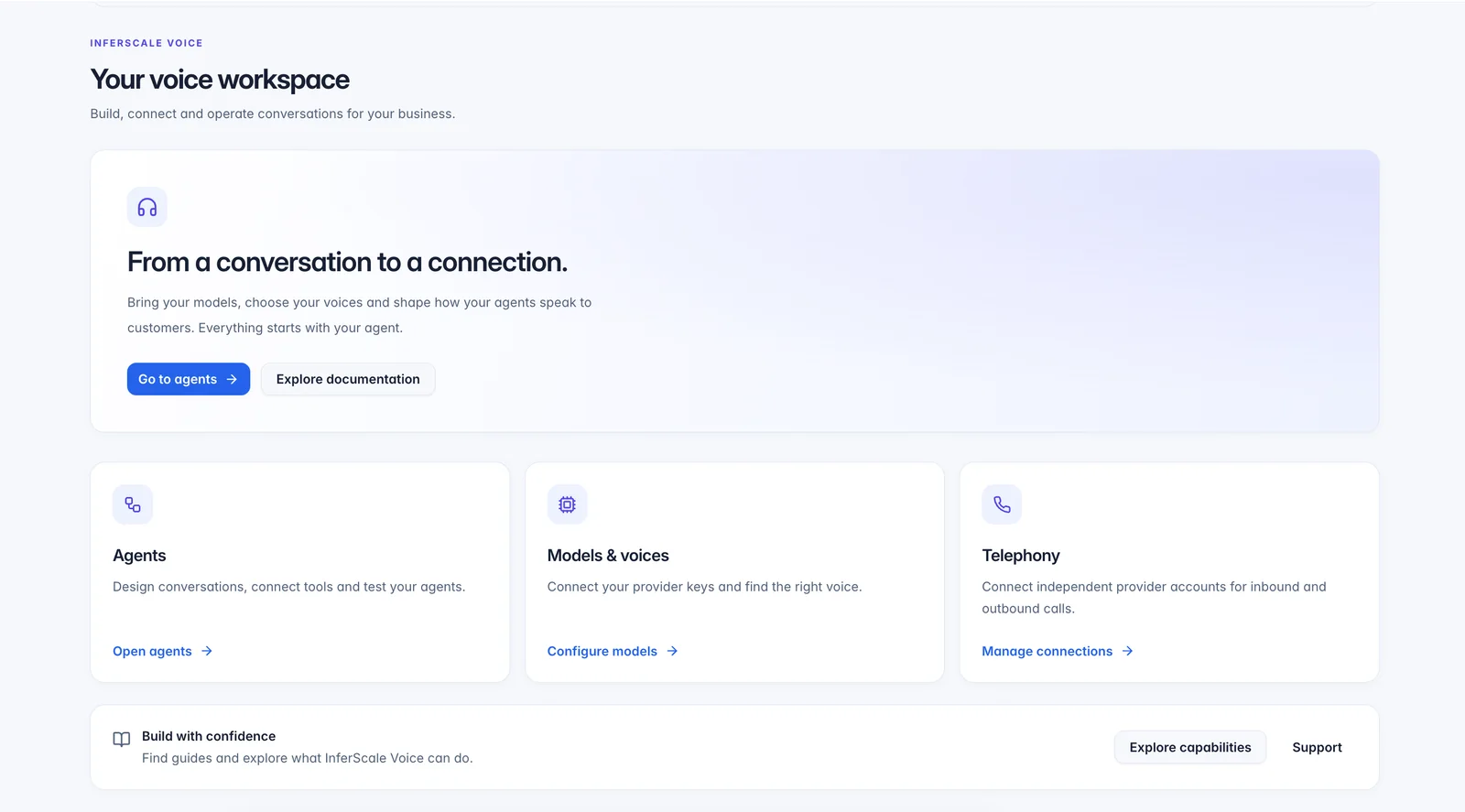
InferScale Voice workspace with agents, model settings, and telephony configuration
SCROLL TO EXPLOREBUILT FOR YOUR WORKFLOW
Custom implementation

Built around your workflow

We can connect a voice workflow to the systems your team already uses. Each connection is scoped, authenticated, and tested for your process; these are examples, not pre-connected demo features.

Custom implementation

Calendar booking

Check availability and create a meeting through a scoped calendar integration.

Custom implementation

CRM and API updates

Write qualified details into your CRM or business system using approved API calls.

Custom implementation

Team notifications

Send selected outcomes to Telegram, Google Sheets, or another agreed destination.

Other business-system connections can be evaluated during discovery. A custom phone-provider hangup path remains under validation and is not part of the live demo.

Conversations worth designing for

We start with a focused call flow, clear boundaries, and a useful next step for your team.

Real estate

Capture property enquiries

Ask about area, budget, and timing, then route a useful summary to the right agent. Viewing bookings can be added with a calendar connection.

  • Buyer intake
  • Preference capture
  • Agent follow-up

Events

Handle RSVP conversations

Answer event logistics questions, record attendance intent, and flag special requests for an organiser.

  • RSVP intake
  • Event FAQs
  • Organiser updates

Legal practices

Organise first-contact intake

Collect contact details and a high-level matter description, then route the enquiry for human review. The agent does not give legal advice.

  • Initial intake
  • Callback requests
  • Human review

Healthcare administration

Ease front-desk demand

Handle administrative questions and appointment requests, with clinical questions sent to qualified staff. No diagnosis or treatment advice.

  • Administrative FAQs
  • Appointment requests
  • Staff escalation

Sales teams

Follow up with context

Work through permitted follow-up calls, record interest, and prepare next steps for a sales representative after an approved rollout.

  • Lead follow-up
  • Qualification
  • Rep handoff

Service businesses

Turn enquiries into scheduled work

Capture the requested service, location, and preferred time, then connect scheduling and dispatch systems as part of a tailored implementation.

  • Service intake
  • Scheduling requests
  • Team summaries

See the flow, then map your own.

Try the receptionist in your browser or bring us one repeatable call your team handles today.